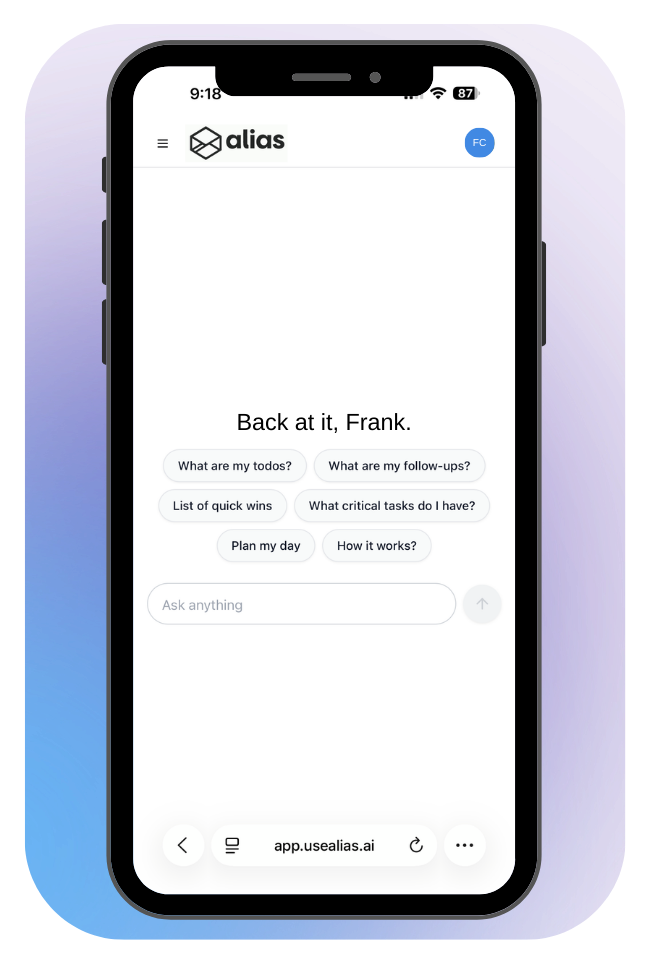
Automatically turn emails into an AI powered to-do list.

Reply directly to emails, mark complete, and let AI organize everything you have going on inside your inbox. Our AI email assistant extracts tasks from opened emails in Gmail, builds your to-do list and intelligent follow-ups, and rewrites your email replies.

Trusted to power inbox-to-action for scale ups and large teams
STAY ORGANIZED

Turn Emails into Action with AI

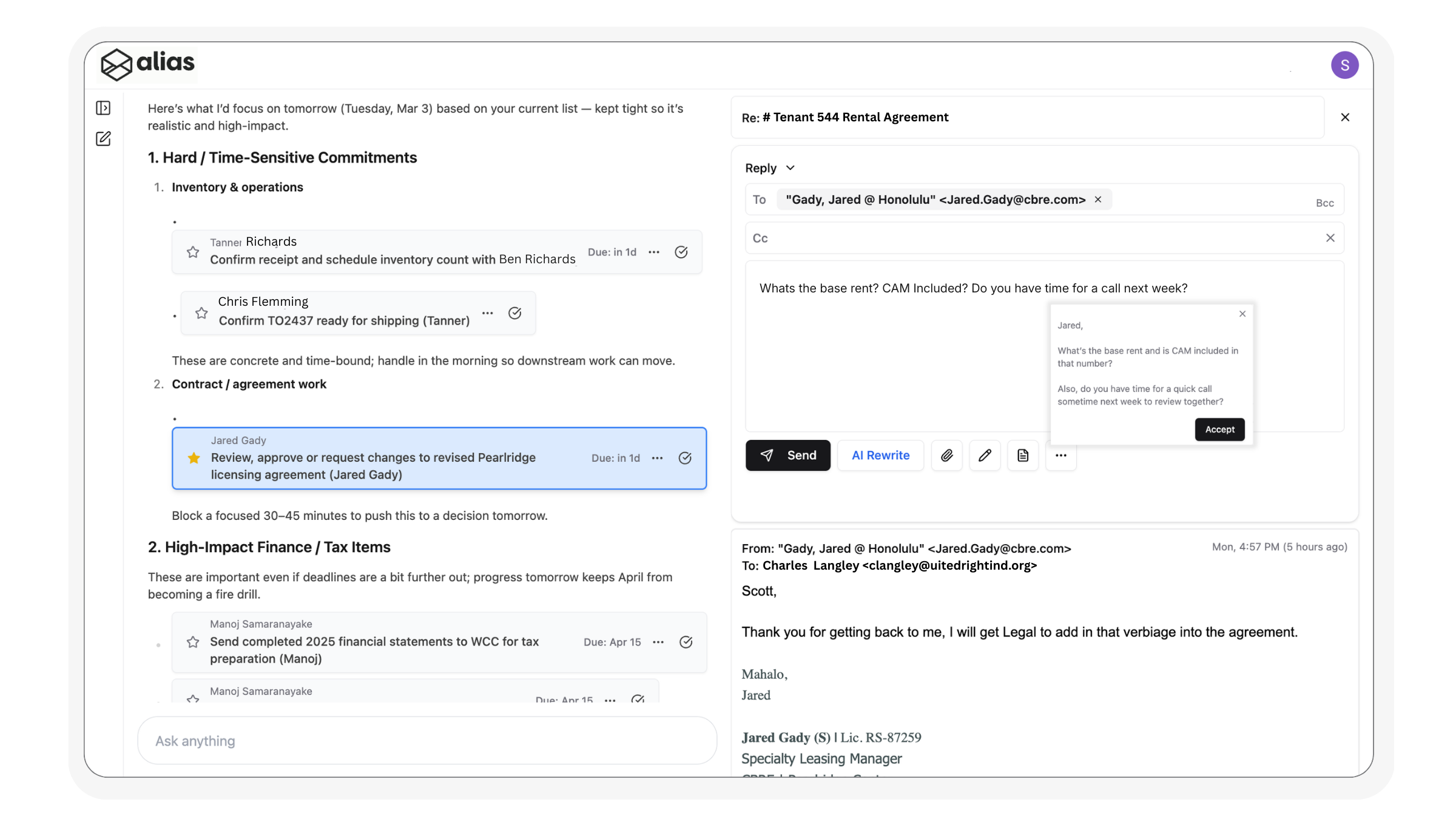
Alias AI isn’t just another to-do list—it’s your AI-powered workspace. Every task and follow-up is automatically pulled from your inbox to a fully managed Productivity Hub. Reply to emails, start new threads, and track conversations directly from your task lists. No switching tabs, no digging through your inbox.

  • Make your inbox work like a priority list
  • Never miss a follow-up again
  • Reply faster—right from your task list

We organize all your tasks based on your workflow

Alias is powered by memory, learning from the way you’ve managed tasks and emails in the past. By understanding your historical workflow, it knows which messages deserve your attention and which can be ignored. The result is a personalized system that organizes your to-dos and follow-ups exactly how you work best.

We extract and prioritize what you need to be doing

Alias extracts the action items that truly matter, turning them into a curated to-do list while filtering out spam and low-value emails. AI then prioritizes your tasks automatically, ensuring the most important work is always front and center. With clutter removed and focus sharpened, you can act with confidence and speed.

We keep track of what is owed to you

Alias keeps a dedicated follow-up list so you never lose track of what you’re waiting on. With perfect timing, AI reminds you when it’s best to nudge, ensuring deals and conversations keep moving forward. Paired with auto-drafted follow-up emails, you can respond faster and increase task velocity without breaking your flow.

Built for Gmail.
Simple Integration.

Submit the free trial form. You’ll get an email invite to authorize into you own productivity hub . In just one click, Alias integrates with your existing Gmail account. From there, AI immediately populates all your current tasks and follow-ups, on a clean interface so you can stay organized and confident from day one.

Submit the form

Complete the Try For Free form and to get started. You will receive an email invitation for your personal Alias AI productivity hub.

One-click Gmail integration

Connect Alias AI to your existing Gmail account in seconds — no complicated setup required.

Let AI do the work

Alias instantly learns and organizes your current to-dos and follow-ups, then builds your Productivity Hub so you start organized from day one.

Powerful AI Features

AI takes the weight off your shoulders—automating to-dos, follow-ups, and inbox organization so you can focus on what truly matters. Alias AI doesn’t just scan emails—it learns your patterns. Over time, it recognizes the responsibilities you handle most often and the way you approach them.

AI To-Do Creation

Automatically converts your emails into actionable tasks, ensuring nothing slips through the cracks and stays organized.

Smart Follow-Ups

Never forget to respond again—our AI tracks pending replies, nudging you at the perfect time to follow up.

AI Rewrite Drafts

Generate context-aware email drafts instantly in your tone, ensuring your communication remains clear, professional, and efficient.

Thread Grouping

AI automatically links proposals, estimates, and updates into a single view, giving you full context at a glance. With everything organized, you can reply, track, and manage threads .

Productivity Hub

AI extracts key information from emails and organizes it into a two-column layout for quick review, allowing you to prioritize and reply without leaving your task lists.

Smart Priority

Context-aware intelligence automatically prioritizes urgent tasks and follow-ups due today, keeping your productivity optimized.

TESTIMONIALS

Hear From the Happy Clients Who Trust Us!

Don’t just take our word for it—read verified reviews from executives, founders, sales teams, and customer success managers who use Alias AI as their AI email assistant. Discover how turning emails into actionable AI to-do lists and automated follow-ups has helped busy professionals save hours each week and stay ahead of their inbox.

Alias has completely changed how I manage my inbox. I used to miss follow-ups all the time — now they just show up on my list. It’s like having an executive assistant who never forgets..

Marcus M.

Our team juggles hundreds of emails a week. Alias pulls out the actual to-dos and lets us focus. The AI drafts are eerily good — it’s cut down our response time and mental load by half.

Jenna T.

As a sales executive, every missed follow-up is a missed deal. Alias AI has completely changed my workflow—emails automatically become tasks, and follow-ups never slip through the cracks.

Lexy A.

Have Questions? Get in Touch.

Frequently Asked Questions

Is Alias Ai Secure?

Yes. Alias AI uses bank-level encryption and never shares or sells your data. We access your Gmail only with your permission and solely for the purpose of helping you stay productive.

Does Alias work with Outlook or other email providers?

Currently, Alias AI is optimized for Gmail and Google Workspace accounts. Outlook support is in development and coming soon.

How do I get started?

After you set up a white glove onboarding with our team, simply connect your Gmail account with one click using secure Google OAuth. Alias will begin scanning your inbox and building your to-do and follow-up lists in seconds—no tagging, forwarding, or setup needed.

What does Alias actually do with my emails?

Alias reads your emails using AI models to: Track open statuses for strategic follow-ups, Detect and summarize action items, Build to-do and follow-up lists, Generate reply drafts in your voice.

How does the AI know what to put on my to-do list?

Alias scans your incoming and ongoing threads for commitments, deadlines, and open questions. It extracts clear next steps and adds them as tasks with smart due dates and context.

Can I edit or remove tasks Alias creates?

Absolutely. Your to-do list is fully editable. You can mark complete, edit text, adjust due dates, or delete tasks with one click.

Can Alias write replies for me?

Yes! Our AI AutoDraft feature generates smart, contextual replies based on the conversation thread—and it learns your writing style over time for better results. AI AutoDrafts are saved to your Gmail drafts as well.